How to make a Notion cover that matches your brand (free, browser-only)
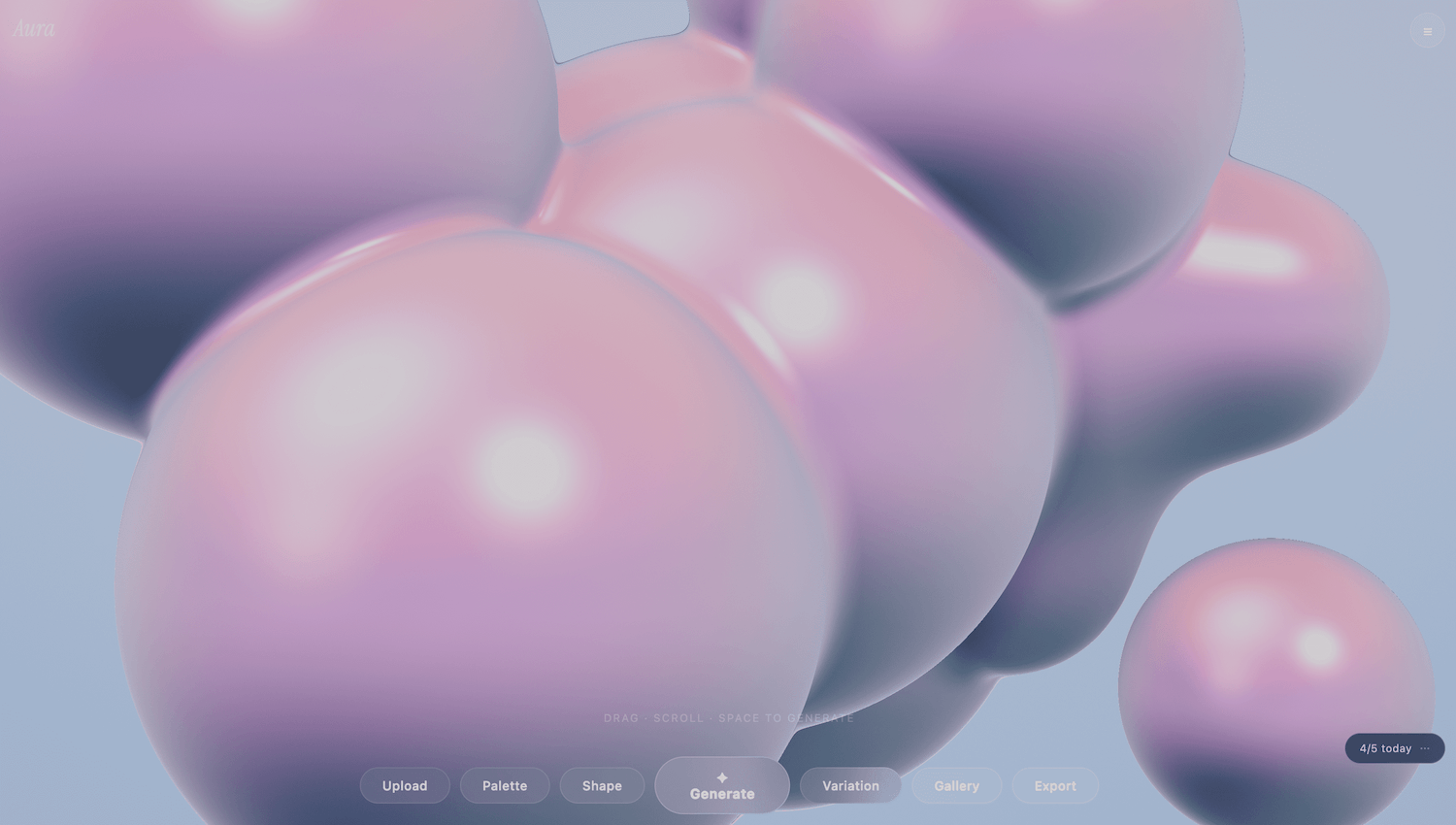
Notion's default covers are fine, the Unsplash gallery is better, but neither matches a brand palette. Midjourney and DALL·E will get you closer in look, but the colors come out approximately — never the exact hex you actually use on your landing page or product.
Aura takes a different approach: drop an image to extract your brand palette, then sculpt a 3D abstract cover that uses those exact colors. Eight shape families, chrome or candy materials, three preset export sizes for Notion / Linktree / Bento / desktop. Free, no signup, runs entirely in the browser.
Why this workflow works
AI image generators
→ Probabilistic — "kind of" your brand colors, never exact
→ Prompt-engineering loop until something usable
→ Output style converges on a few popular looks
→ Generation queues / credits
Aura
→ Deterministic palette — your exact brand colors in the render
→ Click Generate, or open the gallery for 8 variations
→ 8 shape families: Metaball, Molecule, Orbit, Wave, Trefoil, Cluster, Gyroid, Lattice
→ Browser-only, no queue, no signup, free
The tradeoff is range. AI generators can produce anything visual; Aura only renders abstract 3D scenes. If your cover needs a recognisable subject (a product shot, an illustrated character, a photographic look), Aura isn't the right tool. If it's an abstract on-brand background, a focused renderer skips the prompt-iteration loop.
Step-by-step
1. Drop your brand image (or skip)
Open aura.ohiyo.app and drop in any image — your logo, a product screenshot, a mood board, a hero photo. Aura runs k-means with saturation-weighted sampling in your browser and extracts five dominant colors. The image never leaves your device. If you don't have a brand image yet, the onboarding screen also offers Explore with curated colors to skip straight to the curated palettes.
2. Click Generate (or hit space)
Each Generate randomises shape, camera angle, background and scene parameters; the palette stays on your brand colors. Space bar does the same thing — useful for browsing fast.
3. Tune material and shape
Switch between Chrome (reflective, metallic) and Candy (soft, glossy, semi-translucent). Cycle through the eight shape families — Metaball, Molecule, Orbit, Wave, Trefoil, Cluster, Gyroid, Lattice — until one fits the page. The Gallery button renders eight variations at once across shape and material so you can compare side-by-side instead of clicking Generate repeatedly.
4. Pick a size, export PNG
Three export sizes: Cover (1200×480, 5:2 — Notion / Linktree / Bento / Discord headers); Wallpaper (2560×1440, 16:9 — desktop backgrounds); Square (1080×1080, 1:1 — avatars, IG posts). PNG, no watermark.
What it works well for
- Notion covers — the obvious one. The 5:2 cover size is wide enough to look right at Notion's default crop.
- Linktree / Bento / link-in-bio backgrounds — the same cover size doubles as a banner image on link aggregators.
- Landing page hero backgrounds — wallpaper size at 2560×1440 lets you place product UI on top without the background distracting.
- Discord / community headers — branded background instead of the default gradient.
- Slide deck title cards — square or wallpaper export works as a section divider that stays on-brand.
- Avatars and IG posts — square format, deterministic palette across a series.
When not to use it
Aura is scoped on purpose. A few cases sit outside:
- Photographic covers — if you want a real product shot, an Unsplash photo, or anything representational, an AI image generator or stock photo is the right tool. Aura only outputs abstract 3D.
- Animated covers — Notion supports video covers, but Aura exports PNG only. For animated SVG / video output, look at AutoKit.
- Specific compositions — Aura doesn't take a layout brief ("brand mark in top-left, gradient sweep to the right"). It generates abstract scenes; if you need precise placement, Figma is still the right surface.
- Print — exports are PNG at preset sizes, not vector. Web and screen use only.
About the pricing
Aura is free. No Pro tier, no daily cap, no watermark, no signup.
It works as an entry point to the rest of Ohiyo — PuffKit for 3D puff stickers, AutoKit for SVG animation, Color Swap for bulk recoloring — if you ever need more than a static cover.
If something breaks, email support@ohiyo.app.